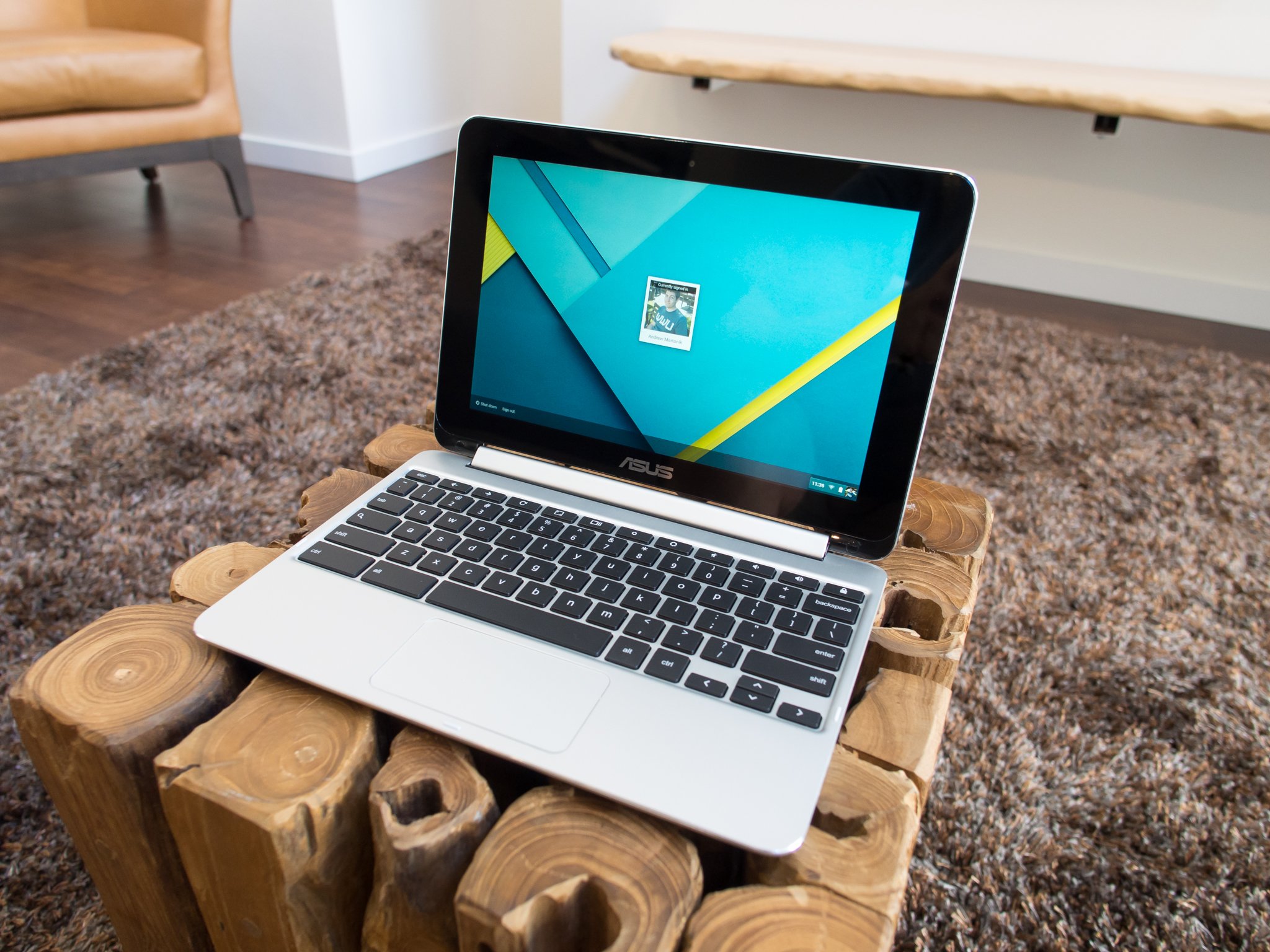
Knowing what to look for before you buy will make you happier and can save you money — which also makes you happier.
Whether you're buying your first Chromebook or upgrading from an older model, you need to know what to look for before you part with your cash. Really, most purchases are this way — especially electronics of any sort. We can help you figure out which Chromebook features are right for you so you can be an informed buyer.
If you're not yet sure that Chrome OS will work for you, go cheap.
Before you begin, you should set your budget. Thankfully, a fully capable and future ready (if not future-proof) model can be had for well under $300 if you don't want to go for the top-shelf. And realistically, you don't. Chrome OS runs well on hardware that might not have enough "oomph" for another operating system. In fact, there's a good chance your phone will have more cores, be clocked higher and have more memory than a Chromebook that can do everything it's intended to do. That's not to say you won't benefit from having a more premium model with better specs, but it's certainly not necessary.
And that makes the first thing on our buyer's checklist easy: if you're not yet sure that Chrome OS will work for you, go cheap.
One of the top-selling Chromebooks on Amazon (and a pick for "Amazon's Choice") is the Acer Chromebook CB-3. It sells new for $178 (as of December 2017). And while it's not the nicest laptop you'll ever see, it has a great IPS screen and runs the very latest version of Chrome OS. And runs it pretty well. You will see things get bogged down a little if you're trying to do too much at one time, but a browser session with a handful of tabs open or a few Chrome apps or documents open won't be a problem at all. It's a perfect way to see how Chrome will handle doing the things you want it to do.
Amazon is also a great place to look for refurbished models that still carry a full warranty. I have seen Chromebooks for as little as $99 for Amazon Prime accounts, and any of them would be a good way to try a taste of Chrome OS, so you know if you're ready to spend a little more.
If you're already sure you want a little better hardware or are looking forward to Android apps, you still don't have to spend a lot of money. But you do need to know what to look for.
Android apps will change how we use a Chromebook.
Android apps have changed how we use Chromebooks. Adding almost 2,000,000 apps to one of the fastest and safest operating systems available also makes it one of the most capable for many of us. Don't expect to run specialty programs like Adobe Photoshop or a CAD program, but for things like light video editing or 3D drawing, you'll find a handful of apps that can handle the task.
Chromebooks weren't designed for folks who need to use a high-end desktop or laptop. But most of us don't need a high-end desktop or laptop and will be served well with a Chromebook. If Android apps are going to be important to you, here are a few things you need to look for.
- Make sure it's on the list. You'll find a list of Chromebooks that will be able to run apps from Google Play. Existing models will be listed if they're going to support them. All new models support Android apps. If you're not sure, you can ask us — if we don't know, we'll find out.
- More storage is better. This goes without saying, but we are saying it anyway. Chromebooks were designed as a cloud-centric device. Because of this, many don't come with a lot of storage space. Android apps can change how much you'll need. Consider some games for Android (which will play just fine on your Chromebook) are up to 2GB or more in size, and you'll see why. You can store a lot of data or documents or photos on the SD card, but apps will go to the actual device storage. Ideally, you'll want 64GB or more, but 32 can work if you're not interested in any games.
- Know how you plan to use it. Some of us want a convertible model that we can use as a tablet. Others want a traditional clamshell-style. Spending a little more to get something you'll find more useful is worth it. Screen size comes into play here, too. If you're on the go a lot, you might want an 11-inch model. Or the 14-incher would be better for your desk. Think about how you'll be using your Chromebook before you buy one.
- Get a model with a touchscreen. Using a touchscreen for "normal" computing kinda sucks. Editing something in Google Docs or writing a long email just isn't designed for touch input no matter the platform. That's why the people who make tablets also make keyboard covers. But that changes when you add in apps originally designed for a phone. They are built for a great experience when poking and swiping with your finger, and that translates well from a 5-inch screen to a 13-inch screen. While you can use the trackpad for most any of it, it's just not as good.
- How much memory do you need? That's determined by what you plan to do. A model with 2GB will be enough to have a few tabs open in the browser as well as an app or two running, but if you're the power-user type you'll want to go with 4GB. The video experience benefits from more memory, too. A 1080p video on YouTube or Google Play Movies can get a little stuttery with 2GB, but 720p runs great.
- How premium do you want to go? Every other item on this list can be had in a sub-300 dollar Chromebook. You can also spend $1,000 on a Pixelbook. The $300 model will handle most anything you throw at it, but the Pixelbook just feels better. I won't toss a silly car analogy in here, but only you know how much a nicer look and feel is worth. Of course, more expensive models tend to have nicer displays and smoother trackpads, too.
More: Best Chromebook for students

You'll have to decide which Chromebook is best for you, but we can toss a couple recommendations out. The Lenovo 500e is a great buy. $300 gets you a Chromebook that not only does everything a pricier one will, but is built for the education market, which means it's ultra-rugged and has a spill-resistant keyboard.
If you're ready to go all-in with Chrome and don't mind spending a little more, The ASUS Chromebook Flip C302 is one of the best Chromebooks for the money available today. A fast processor and plenty of storage mean you'll have it for years, too.
Of course, new Chromebooks are coming out all the time and something coming up may be even better. You can keep up to date on our Best Chromebooks page, and keep an eye out for our reviews. And as always, the forums are a great place to learn more about anything Chrome.
Comments
Post a Comment